
The best IPTV box for smooth live TV
Whether live TV runs smoothly is rarely down to the app alone. Here you see what you really need, and which IPTV box we recommend.
In short: what you need
- Internet of at least 100 Mbit/s, better 250 Mbit/s or more
- An Ethernet cable from the router to the box instead of Wi-Fi
- A box with 3 to 4 GB of memory that switches to 50 Hz
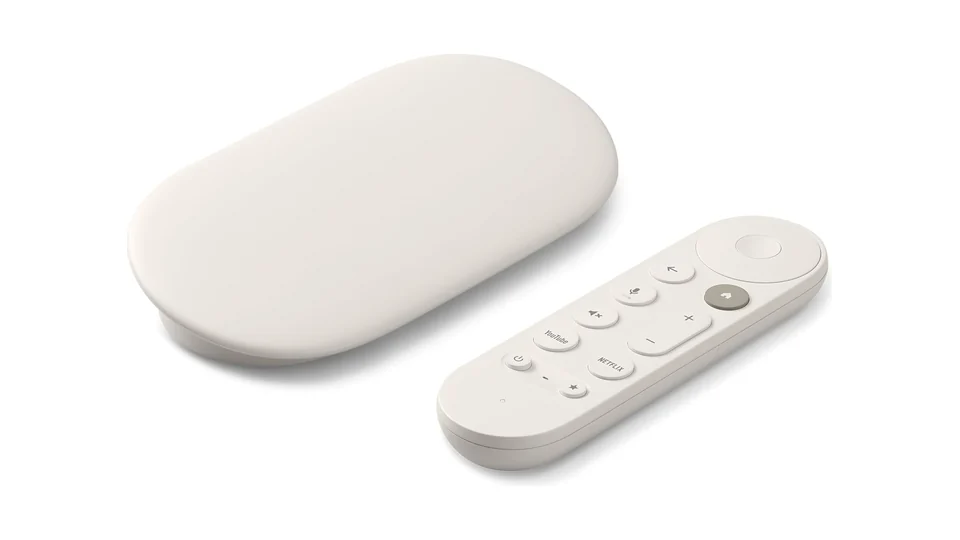
Google TV Streamer
Google TV box · around £100
- 4 GB RAM
- Gigabit Ethernet
- AV1
The safe choice with plenty of memory and Gigabit Ethernet. Good for very large channel lists.
“For years I lived with stuttering live sport and thought it was my provider. Then I connected an Android TV box, the Homatics Box R 4K Plus, with an Ethernet cable. Since then live sport runs at 50 frames per second without a single stutter. My old stick still stutters with the same subscription today.”
Why live TV stutters
Live TV runs through a chain of internet, router, home network, device and app. The weakest link decides whether the picture stutters. Here is what each link needs:
Internet
- Minimum
- 100 Mbit/s
- Recommended
- 250 Mbit/s or more, stable in the evening too
Router
- Minimum
- current model with updates
- Recommended
- Gigabit Ethernet, Wi-Fi 6, mesh
Home network
- Minimum
- 5 GHz Wi-Fi
- Recommended
- Ethernet cable to the device
Device
- Minimum
- 2 GB memory, HEVC
- Recommended
- 3 to 4 GB memory, HEVC and AV1, switches to 50 Hz
App
- Minimum
- hardware playback
- Recommended
- QORA with automatic frame rate and connection test
Check first, then buy: the connection test in QORA shows whether your Wi-Fi, your device or your provider is slowing you down. Maybe you do not need anything new at all.
Which IPTV box suits you?
Three price ranges, three picks. An Ethernet port, enough memory and switching to 50 Hz matter more than the price.
Google TV Streamer
Google TV box
For: Large channel lists, plenty of headroom, Gigabit Ethernet
- Chip
- MediaTek MT8696
- Memory
- 4 GB
- Storage
- 32 GB
- Ethernet
- yes, Gigabit
- AV1
- yes
- System
- Google TV (Android TV 14)
The safe choice with plenty of memory and Gigabit Ethernet. Good for very large channel lists.
RockTek GX1
Google TV box
For: More memory headroom and Wi-Fi 6
- Chip
- Realtek RTD1325
- Memory
- 4 GB
- Storage
- 32 GB
- Ethernet
- 10/100 Mbit/s
- AV1
- yes
- System
- Google TV (Android TV 12)
A certified Google TV box with 4 GB of memory, Wi-Fi 6 and AV1. The Ethernet port only manages 100 Mbit/s, which is still enough for IPTV. Sold by the UK retailer DROIX.
Strong Leap-Neve
Google TV dongle with Ethernet
For: Most homes, live TV in Full HD
- Chip
- Realtek RTD1325
- Memory
- 2 GB
- Storage
- 8 GB
- Ethernet
- 10/100 Mbit/s
- AV1
- yes
- System
- Google TV (Android 12)
An affordable Google TV dongle with a wired port and AV1. The Ethernet port runs at 100 Mbit/s, enough for 4K IPTV. With 2 GB of memory and 8 GB of storage it suits a few apps, not a large library.
Box, stick or TV?
Box
A box on your TV is almost always better than the built-in smart TV software. It has more memory, gets updates for longer and can be connected by cable.
Stick
Sticks are small and cheap, but usually have no Ethernet port and little memory. For live sport a box with a cable is the better choice. Google no longer makes a stick, its successor is the Google TV Streamer.
Google TV television
Memory is what counts here. Many budget models give apps very little memory, which is not enough for large channel lists. Sony Bravia 7, 8 and 9 have a good track record.
What matters in a box
Every spec with minimum and recommendation
| Spec | Minimum | Recommended | Why |
|---|---|---|---|
| Memory | 2 GB | 3 to 4 GB | Google TV itself needs about 1 GB. With large channel lists and a programme guide, room runs out and Android closes the app. |
| Free storage | 4 GB | 8 GB or more | Programme guide, cache and updates need space. A full storage slows the whole device down. |
| Video formats | H.264 and HEVC | plus AV1 | What the chip decodes itself plays smoothly. AV1 makes the box future proof. |
| Frame rate | “Match frame rate” available | reliable switching to 50 Hz | Live TV in the UK and Europe runs at 50 frames per second. If the device outputs 60 Hz, it stutters, even with perfect internet. |
| Network | 5 GHz Wi-Fi | Ethernet port or Wi-Fi 6 | A cable delivers more evenly than wireless. Live TV has hardly any buffer, you see every dip. |
| System | Android TV 11 | Android TV 12 to 14 or Google TV | Newer versions switch frame rate cleanly and get security updates. |
Internet and router
On average a single Full HD channel needs only about 15 Mbit/s. In practice that is not enough: when you switch channels and after every short dropout the app refills its buffer as fast as it can, live servers deliver unevenly, and phones, updates and other TVs share the line. Just as important is a line that stays stable in the evening.
Which router suits your connection?
VDSL / FTTC
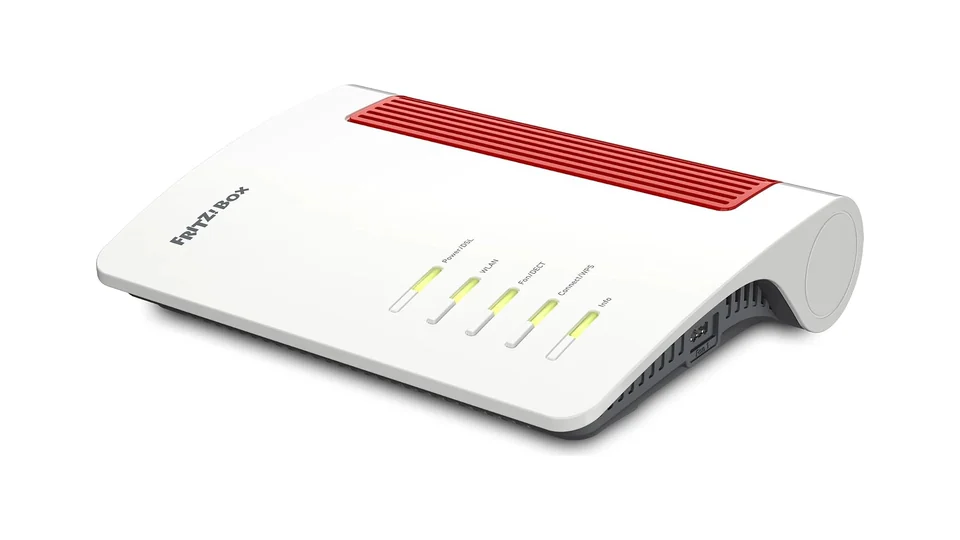
FRITZ!Box 7690
VDSL and fibre router
- Connection
- DSL / VDSL
- Ethernet
- yes, Gigabit
- Wi-Fi
- WLAN 7
The UK model works on FTTC lines with its built-in VDSL modem and on full fibre via the 2.5 Gbit port to the ONT. Sold new by the UK retailer liGo.
Full fibre / FTTP
TP-Link Deco X50 (3-pack)
Mesh Wi-Fi system
- Connection
- Mesh, router or access point
- Ethernet
- yes, Gigabit
- Wi-Fi
- Wi-Fi 6
Keep your BT, Sky, Virgin or TalkTalk router and add mesh in access point mode, or connect it straight to a full fibre ONT. Every unit has Gigabit ports for a wired TV box.
The router from your provider is often the bottleneck at home. A current model with Gigabit Ethernet, Wi-Fi 6 and mesh support makes the biggest difference, especially if your TV is far from the router.
Home network: getting the internet to your TV
Go through the list from the top and take the first option that works for you.
-
Ethernet cable Best option
The best and cheapest fix. A Cat 6 network cable straight from the router to the box.
Cat 6 Ethernet cable · around £10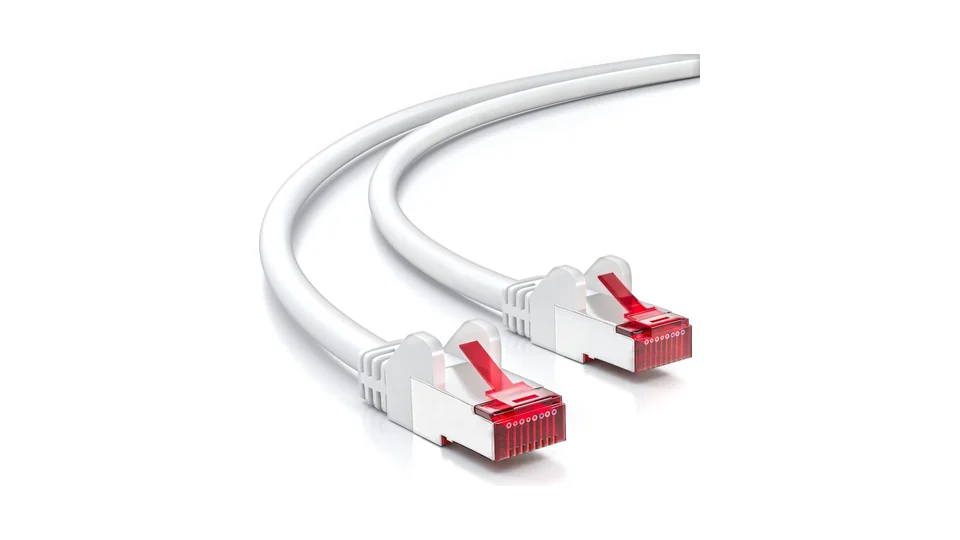
Measure the distance from the router to the box and add a metre.
-
Powerline
When you cannot lay a cable. The internet runs through your power line, and a short Ethernet cable goes into the box.
devolo Magic 2 LAN · around £130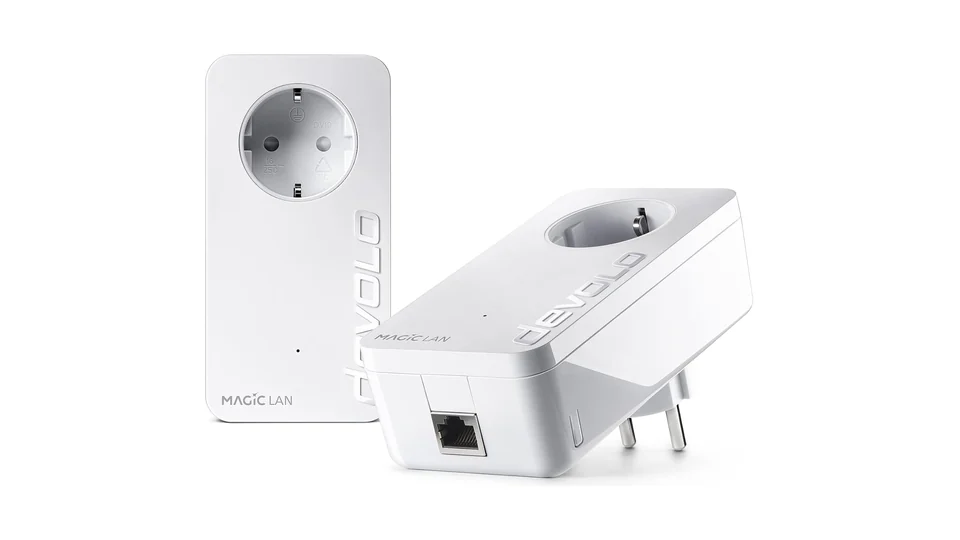
When a cable is not an option: internet over the power line, short Ethernet cable at the box.
TP-Link TL-PA7017P Kit · around £51A lower cost way to wire a TV box over the mains. Real throughput is well below the rated speed but usually covers HD and 4K IPTV. Passthrough socket included.
-
Mesh Wi-Fi
When only wireless works. Place the mesh point within sight of the TV, not behind two walls.
TP-Link RE705X · around £64Extends Wi-Fi to the TV room and has a Gigabit port, so the box can be wired to the repeater. Works with any router.
-
USB Ethernet adapter
For boxes without an Ethernet port. Check first that your box supports the adapter.
Not recommended
With these, live TV almost certainly stutters. Next to each you see what to take instead.
Sticks with 1 GB RAM, e.g. Xiaomi Mi TV Stick (1st gen)
Tested by QORA: live TV stutters all the time, the chip is too weak and does not output 50 Hz reliably.
Better: Google TV Streamer
Fire TV Stick 4K Select and Fire TV Stick 4K (2026)
They run Vega OS instead of Android. Android apps like QORA cannot be installed.
Better: Google TV Streamer
TVs with little app memory, e.g. older TCL smart TVs
Tested by QORA: with large channel lists the memory runs out and the app is closed.
Better: Google TV Streamer
TVs with VIDAA (Hisense)
No Android, so QORA cannot be installed. A box on the HDMI input solves it.
Better: Google TV Streamer
Wi-Fi through two walls to the TV
Wireless fluctuates and live TV has hardly any buffer. You see every dip as a stutter.
Better: devolo Magic 2 LAN
No-name boxes without Google certification
No Play Store, often inflated specs like “8K, 16 GB” and no updates.
Better: Google TV Streamer
Our reasons are based on our own tests with QORA or on manufacturer data. Manufacturers improve devices with updates. If you spot something that is no longer true, write to us and we will fix it.
Frequently asked questions
How we test
We test devices with QORA on real TVs, over Ethernet and Wi-Fi. We measure live playback at 50 frames per second for at least 30 minutes, channel switching and a large channel list with programme guide. Devices marked “Tested by QORA” we tested ourselves, for the others we rely on manufacturer data. There are no paid placements.
Last updated: October 2026. We give prices as a rough price range, you see the current price at the retailer.
How much memory does an IPTV box need?
At least 2 GB, better 3 to 4 GB. The system itself uses about 1 GB. With large channel lists and a programme guide, 1 GB is too little and the app closes or stutters.
Ethernet or Wi-Fi for IPTV?
Ethernet if you can. A cable delivers evenly, Wi-Fi varies with walls, neighbouring networks and other devices. If a cable is not possible, powerline is the next best option.
How fast does my internet need to be for IPTV?
On paper a Full HD channel needs about 15 Mbit/s. So that the buffer fills fast when you switch and the rest of the household does not slow you down, we recommend at least 100 Mbit/s, better 250 Mbit/s or more.
Why does live TV stutter while films play smoothly?
Live TV in the UK and Europe runs at 50 frames per second, but many devices output 60 Hz. Then picture and screen do not match. A box that switches to 50 Hz and the automatic frame rate in QORA fix this.
Does QORA work on a Fire TV Stick?
The new Fire TV models with Vega OS, such as the Fire TV Stick 4K Select, cannot run Android apps. We therefore recommend a device with Android TV or Google TV, where you install QORA straight from the Play Store.
Do I need an expensive box?
No. An Ethernet port, enough memory and switching to 50 Hz matter more than the price. Spending more mainly pays off for 4K and very large channel lists.
Not sure your device is good enough?
Tell us which device you have and how it is connected. We will tell you honestly whether it is enough or which link in the chain is slowing you down.
QORA is a player. It does not provide any channels or content. Only use playlists you have the rights to.