
Entering Xtream login details or an M3U link in QORA
QORA is a player, not a provider. For channels, movies, and shows to appear, you enter the access from your own IPTV provider. There are two common formats: Xtream login details or an M3U link. Which one your provider uses is usually stated in your subscription's confirmation email; if in doubt, ask them.
Entering Xtream Codes
Xtream is the more widespread format. Your provider gives you three pieces of information for it:
- Host (also called server or portal URL), an address that usually starts with `http://` or `https://`.
- Username
- Password
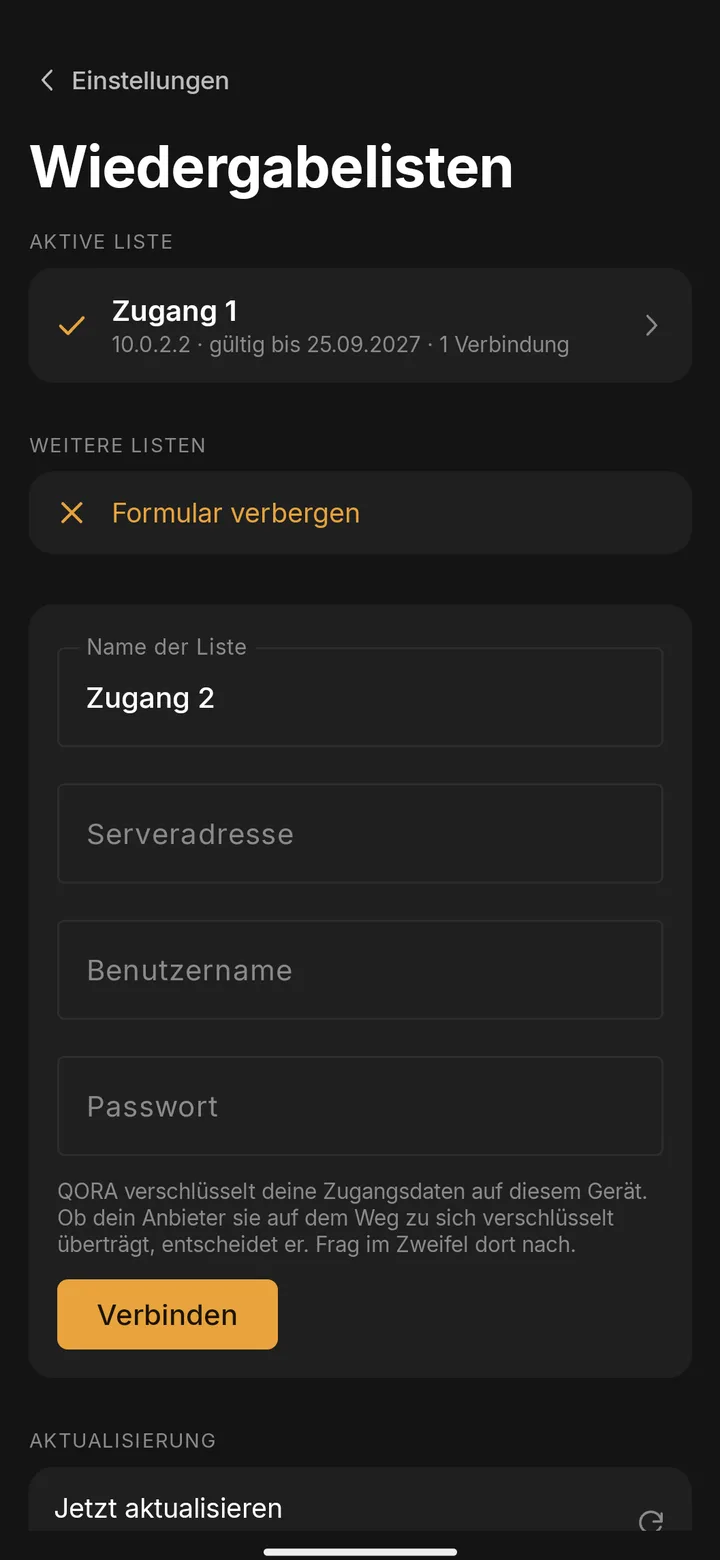
In QORA, under "Add access," choose the Xtream option and fill in all three fields. Watch out especially for spaces at the start or end, they easily sneak in when copying from an email and are the most common source of errors. Once saved, QORA loads your provider's full channel list and catalogs.
Entering an M3U link
Some providers only issue an M3U link, a single web address pointing to a playlist file. In QORA, under "Add access," choose the M3U option and paste the complete link. An M3U link often already contains the username and password right in the address, so always copy it in full, never in parts.
What's the difference?
Xtream Codes transfers structured data (channels, movies, shows with categories and sometimes an EPG) through its own API. M3U is simpler: a plain list of channels and streams without a fixed structure. QORA supports both formats, and the result in the app looks the same to you either way.
Multiple accounts at once
QORA Plus allows several provider accounts at the same time, cleanly separated within the app. The free version is limited to exactly one access.
The security of your access data
Your access stays encrypted on the device where you enter it, never as plain text. With QORA Plus, you sync it encrypted across your devices, and the transfer runs exclusively over HTTPS.
Changing or removing your access later
If your provider changes the host, username, or password, or you switch providers entirely, you enter the new details in the same settings where you originally added your access. The old access can be removed there too, without reinstalling the app.
How to tell which format your provider uses
If your subscription's confirmation email shows an address ending in `.m3u` or `.m3u8`, or mentions a "playlist URL," you have an M3U access. If it lists a separate server or portal, a username, and a password, that's Xtream. Some providers offer both, in which case either option works in QORA.
Didn't work?
If saving throws an error, first check the host, username, and password for typos and stray spaces. If no channel list loads afterward, it's often the provider itself being overloaded, or your access having expired, something only the provider can resolve. If the question remains, message us via WhatsApp in the footer.